WhatsApp API now charges for replies: how to keep costs down
Since October 1, 2026, replies inside the WhatsApp API’s 24-hour window are billed. What changed, how to estimate the cost and how to automate for less.
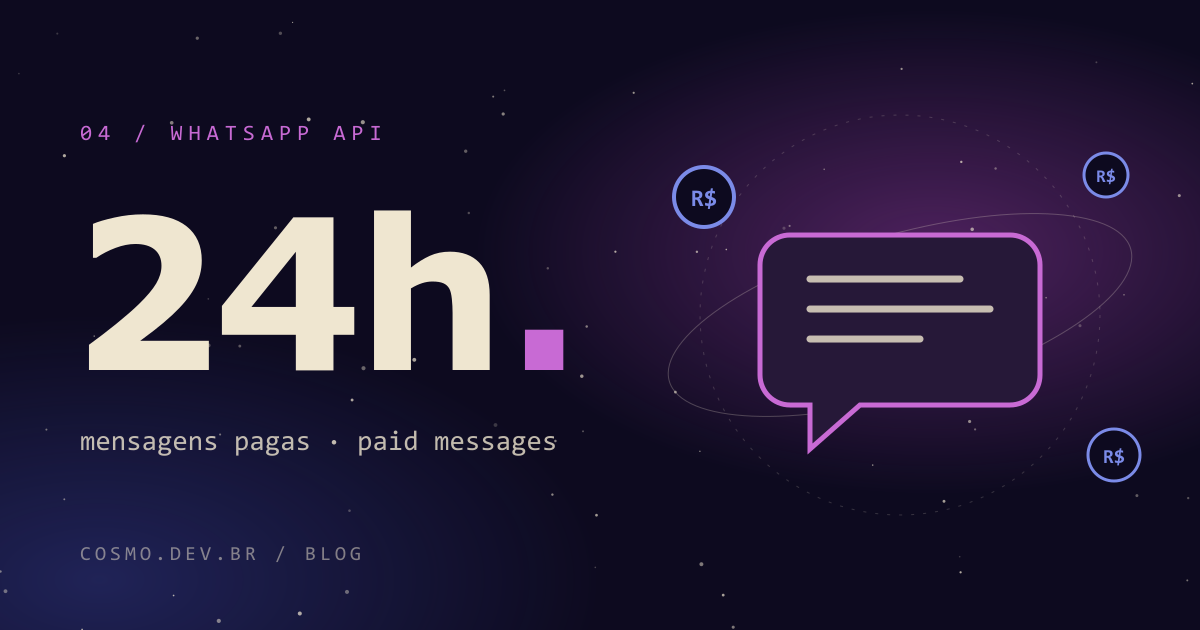
For a long time, replying to customers inside WhatsApp’s 24-hour window was the “free” part of the API. Not anymore. Since October 1, 2026, service messages are billed, and anyone running automated support needs to redo the math.
Here is what changed according to Meta’s official documentation, how to estimate the cost without guessing, and what I would do to keep the bill in a low orbit.
What changed
The timeline:
| Date | Change |
|---|---|
| Jul 1, 2026 | Accounts in Brazil can be billed in reais (BRL) through Facebook Brasil |
| Sep 30, 2026 | Deadline to add a payment method; accounts without one stopped getting service messages delivered |
| Oct 1, 2026 | Free-form replies inside the 24-hour window become billable, with 1,000 free per month per number |
| Oct 1, 2026 | Utility templates sent inside the window are no longer free |
| Jun 30, 2027 | Deadline for non-BRL accounts to migrate |
What did not change: the 72-hour window opened by Click-to-WhatsApp ads is still free.
There is one more new piece on the board. Messages sent by Meta’s own AI agent, the Business Agent, are now a separate category with separate billing. That is the “agentic AI for small businesses” Forbes Brasil reported on in February 2026.
Who is affected
Basically any business that handles support through the WhatsApp API, directly or through a customer service platform or chatbot vendor. The ones who will feel it most:
- High-volume support: help desk, after-sales, scheduling, order status.
- Chatty bots that ask one question per message and split every answer into five bubbles.
- Teams sending utility templates inside the window (confirmations, reminders, order updates) assuming they were free.
- Anyone who skipped the payment method by September 30. That is not a cost problem, it is a delivery problem: the messages simply don’t arrive.
If your support fits inside the 1,000 free messages per month per number, you may barely notice. If it doesn’t, keep reading.
How to estimate the cost
I am deliberately not quoting per-message prices: they depend on country and category, and the source of truth is Meta’s official pricing page. What you can do is set up the formula and plug in the current rates.
Per WhatsApp number, per month:
service_cost  = max(0, service_messages - 1000) × service_rate
utility_cost  = utility_templates_in_window × utility_rate
agent_cost    = business_agent_messages × agent_rate   (if used)

total_cost    = service_cost + utility_cost + agent_cost
Conversations opened by Click-to-WhatsApp ads, within their 72-hour window, stay out of this calculation.
To get the volume, pull last month’s history: how many messages the business sent in reply to customers and how many utility templates went out inside the window. Most support platforms already have that report. If yours doesn’t, that is a sign you need to measure before you optimize.
A generic example, just to see the logic: if support averages 6 messages per customer and gets that down to 3 without hurting quality, the variable part of the bill is cut in half. You look up the rate in the table; the quantity is the part you control.
Ways to keep the bill down
1. Solve it in fewer messages
This is the biggest lever and the most ignored one. Compare:
Before (4 messages):
Hi!
How are you?
Your order has shipped.
Your tracking code is XYZ.
After (1 message):
Hi Maria! Order #1234 shipped today. Tracking: XYZ (link). Expected delivery: by Friday. Need to change the address? Reply CHANGE.
Same information, a quarter of the messages, and the customer has fewer reasons to ask again.
2. Batch your replies
Instead of answering every question the second it lands, let the customer finish typing and reply to everything at once, whether it is a human or a bot. A delay of a few seconds on the bot side already prevents the “question, answer, question, answer” ping-pong.
3. Use the 72-hour ad window
If you already run Click-to-WhatsApp ads, the conversations they open come with 72 free hours. That is where the long stuff belongs: answering questions, building a quote, closing the sale. It is the part of the journey where talking more doesn’t add to the message bill.
4. Connect automation to your CRM
Many support messages exist only because someone has to go look something up: order status, open time slots, a copy of an invoice. When the bot queries the CRM, order system or calendar directly, the first reply is already complete. No more “give me a minute to check”.
5. Queues and routing
A good queue sends each conversation to whoever can actually solve it: the bot for repetitive questions, a human for exceptions. That cuts the back-and-forth of transfers, which costs time and now also costs messages.
6. Audit your utility templates
List the utility templates you send inside the window and ask, one by one: does the customer really need this on WhatsApp? Some reminders can be merged into a single message; others work fine over email.
Meta’s AI agent or your own chatbot?
With the Business Agent billed separately, the trade-off is now explicit. An honest summary:
| Meta’s native agent | Custom chatbot | |
|---|---|---|
| Time to launch | Fast, inside Meta’s ecosystem | Requires development and maintenance |
| Billing | Its own category, separate from service messages | Regular service messages + AI model and hosting costs |
| Integration with your systems | Limited to what Meta offers | Open: CRM, inventory, calendar, ERP |
| Control over copy and flow | Lower | Full, including how many messages each conversation uses |
| Vendor lock-in | High | Lower; you can swap models or channels |
For a small operation that only answers FAQs, the native agent may be the shortest path. When support needs to pull company data, or when volume is high, a custom bot usually gives more control over cost, because you decide how many messages each answer takes.
Either way, compare category prices in the official table before deciding. That is the math that matters.
Final checklist
- Payment method added and service messages being delivered
- BRL billing evaluated (non-BRL accounts must migrate by June 30, 2027)
- Last month’s volume pulled: service messages, utility templates in window, agent messages
- Cost estimated using the current official rates
- Bot replies rewritten to resolve in one message whenever possible
- Short bot delay to batch consecutive questions
- Long sales conversations moved into the 72-hour Click-to-WhatsApp window
- Bot querying CRM, orders and calendar directly
- Utility templates reviewed, merged or moved to another channel
- Deliberate choice between Meta’s native agent and a custom chatbot
If you want a second pair of eyes on your support flow, or a WhatsApp automation wired into your own systems with the message bill in mind from day one, get in touch.
Frequently asked questions
Does this apply to the regular WhatsApp Business app?
The change covered here is for the WhatsApp Business Platform (the API), used by companies that connect WhatsApp to their systems, chatbots and CRMs. If you only use the phone app, check Meta’s official documentation for your case before making any decision.
How much does each service message cost?
It depends on the country and message category, and it is listed in Meta’s official pricing table. Since prices change, the safe move is to check the current table instead of trusting numbers copied from third parties.
What happens if I never added a payment method?
According to Meta, accounts without a payment method by September 30, 2026 stopped having these messages delivered. If your support flow went quiet in early October, that is the first thing to check.
Is Meta’s AI agent a better deal than my own chatbot?
It depends on volume and on how much your support needs to talk to your own systems. The native agent is faster to switch on but has its own pricing and gives you less control. A custom chatbot takes more work upfront, but it can connect to your CRM, inventory and calendar, and you decide how many messages each conversation uses.